
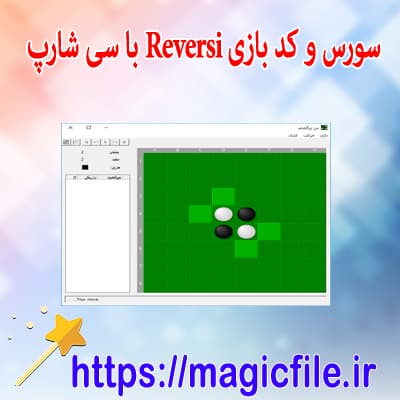
REVERISI IN C#: A COMPLETE AND DETAILED EXPLANATION
Reversi, also known as Othello, is a classic strategy board game that challenges players to outsmart each other by flipping opponent's discs, ultimately aiming to dominate the board. Creating a Reversi game using C# involves intricate logic, thoughtful design, and careful implementation of game mechanics. This comprehensive guide delves deep into developing a Reversi game in C#, exploring core concepts, code structures, and best practices to craft an engaging, functional, and user-friendly application.
1. INTRODUCTION TO REVERISI AND GAME MECHANICS
Reversi is played on an 8x8 grid, similar to chess or checkers. Two players, typically black and white, take turns placing discs on the board. When a new disc is placed, any straight line (horizontal, vertical, or diagonal) of the opponent's discs that is flanked by the player's discs at both ends gets flipped. The game continues until the board is full or no more moves are possible, and the player with the most discs wins.
Key mechanics include:
- Valid move determination
- Flipping opponent's discs
- Turn management
- Game over detection
- Scoring
2. DESIGNING THE GAME STRUCTURE
A well-structured Reversi game in C# begins with designing the core classes and data structures. At the heart, you'll need:
- A `Board` class to represent the game grid
- A `Disc` enum or class to signify the state of each cell (Empty, Black, White)
- A `GameController` to handle game flow
- A `Player` class or interface to manage moves
Using object-oriented principles, these components work together seamlessly, ensuring code modularity and ease of maintenance.
3. IMPLEMENTING THE BOARD
The `Board` class is central. It typically contains:
- A 2D array, e.g., `Disc[,] grid = new Disc[8,8]`, representing the game board
- Methods to initialize the board with starting discs
- Methods to get and set disc states at specific positions
- Methods to check if a move is valid
Initialization involves placing four discs at the center, two black and two white, in a diagonal pattern.
csharp

public class Board

{

    private Disc[,] grid = new Disc[8,8];
public Board()

    {

        InitializeBoard();

    }
private void InitializeBoard()

    {

        // Set starting positions

        grid[3,3] = Disc.White;

        grid[3,4] = Disc.Black;

        grid[4,3] = Disc.Black;

        grid[4,4] = Disc.White;

    }

}
4. VALID MOVE DETERMINATION AND FLIPPING LOGIC
A crucial part of Reversi is identifying valid moves. For each potential move, the game must:
- Check in all eight directions (north, south, east, west, northeast, northwest, southeast, southwest)
- Determine if placing a disc at that position would flank opponent's discs
- Confirm that at least one opponent's disc will be flipped after the move
This involves traversing the board in each direction from the candidate cell, stopping when:
- An empty cell is encountered (invalid move in that direction)
- The player's own disc is encountered (valid move, flip possible)
- The edge of the board is reached
The flipping process involves changing the state of the opponent's discs to the current player's color along the valid lines.
Here's a simplified method for checking directions:
csharp

private bool IsValidMove(int x, int y, Disc playerDisc)

{

    if (grid[x, y] != Disc.Empty)

        return false;
foreach (var direction in directions)

    {

        if (CanFlipInDirection(x, y, direction, playerDisc))

            return true;

    }

    return false;

}
Where `directions` is an array of coordinate offsets, like `(-1, 0)` for north, `(1, 1)` for southeast, etc.
5. EXECUTING MOVES AND UPDATING THE BOARD
Once a move is validated, the game proceeds to:
- Place the player's disc at the chosen position
- Flip all opponent discs along valid lines
- Update the board state accordingly
This requires careful iteration in each direction, flipping discs as needed:
csharp

private void FlipDiscs(int x, int y, Disc playerDisc)

{

    foreach (var direction in directions)

    {

        if (CanFlipInDirection(x, y, direction, playerDisc))

        {

            // Flip discs along this line

            FlipLine(x, y, direction, playerDisc);

        }

    }

}
The `FlipLine` method traverses from the move position in the direction, flipping opponent discs until reaching the player's disc.
6. GAME FLOW MANAGEMENT
The `GameController` manages:
- Player turns
- Valid move checks
- Passing turns if no valid move exists
- Detecting game over conditions
- Calculating scores
An example game loop might look like:
csharp

while (!IsGameOver())

{

    if (HasValidMoves(currentPlayer))

    {

        // Await user input or AI move

        MakeMove(selectedX, selectedY);

    }

    else

    {

        // No valid moves, pass turn

        PassTurn();

    }

    SwitchPlayer();

}

DisplayResults();
7. USER INTERFACE AND INTERACTIVITY
A console-based UI can use simple text output and input prompts. For GUI, Windows Forms or WPF can be employed to create a visually appealing grid, with discs represented via colored circles or images.
In the console, printing the board might involve iterating over the grid:
csharp

for (int y = 0; y < 8; y++)

{

    for (int x = 0; x < 8; x++)

    {

        Console.Write(GetDiscSymbol(grid[x, y]));

    }

    Console.WriteLine();

}
8. ADDITIONAL FEATURES AND IMPROVEMENTS
To make the game more engaging:
- Implement AI opponents with different difficulty levels
- Add score tracking and move history
- Include undo and redo functionalities
- Create a menu system for game options
- Enhance visual design with graphics
9. TESTING AND DEBUGGING
Thorough testing is vital. Validate move logic, flipping accuracy, and game over detection. Use unit tests for core functions, especially move validation and disc flipping logic. Debugging ensures the game handles all edge cases gracefully.
10. CONCLUSION
Developing a Reversi game in C# offers an insightful journey into game programming, algorithm design, and user interaction. It combines logical complexity with creative coding, providing a rewarding experience. By carefully constructing classes, implementing accurate move validation, managing game flow, and designing intuitive UI, you can craft a robust and enjoyable Reversi game that showcases your programming skills and strategic thinking.
---
If you'd like, I can provide specific code snippets, full sample projects, or further explanations on any part of this process.